
Table of Contents >> Show >> Hide
- What Is Laser Etching PCBs?
- Why Laser Etching PCBs Is Popular
- How Laser Etching Fits Into PCB Manufacturing
- Main Methods for Laser Etching PCBs
- Step-by-Step: A Practical Laser-Resist PCB Workflow
- Laser Etching PCBs vs. PCB Milling
- Laser Etching PCBs vs. Ordering From a Board House
- Materials and Safety: The Serious Part
- Design Tips for Better Laser-Etched PCBs
- Common Problems and How to Fix Them
- Best Applications for Laser Etching PCBs
- Future of Laser Etching in PCB Fabrication
- Workshop Experiences With Laser Etching PCBs
- Conclusion
Note: This article is written from synthesized, real-world PCB fabrication knowledge, including modern laser direct imaging, fiber laser engraving, chemical etching, PCB prototyping, and laser safety practices used by electronics manufacturers, engineering labs, universities, and maker communities.
What Is Laser Etching PCBs?
Laser etching PCBs sounds like something a futuristic robot does while drinking espresso, but the idea is surprisingly practical: use a controlled laser beam to create, mark, expose, or prepare a printed circuit board pattern. In the broadest sense, laser etching PCBs can mean several different processes. A laser may remove paint or resist from copper before chemical etching. It may expose photoresist in a professional laser direct imaging system. It may engrave identification codes, logos, and component markings. In more advanced setups, a fiber or UV laser may directly ablate copper to form isolation paths.
The confusion begins because people use the words etching, engraving, ablation, marking, and imaging as if they are cousins at the same barbecue. They are related, but they are not identical. Traditional PCB etching removes unwanted copper with chemicals. Laser etching usually uses light and heat either to remove a protective coating or to remove material directly. Laser direct imaging, often called LDI, uses a laser to expose photoresist accurately before development and chemical etching. Direct laser engraving uses the beam itself to remove copper or surface material.
For hobbyists, laser etching often means coating a copper-clad board with black paint or another resist, then using a diode or CO2 laser to burn away the areas where copper should later be dissolved. For professional manufacturers, laser-based PCB production usually means tightly controlled imaging, drilling, marking, or micro-machining. Same theme, different league. One is a garage band with good energy; the other is a symphony orchestra with safety goggles.
Why Laser Etching PCBs Is Popular
Laser etching PCBs attracts engineers, students, makers, and small product teams because it offers speed. When you are testing a simple sensor breakout, LED driver, antenna shape, or one-off control board, waiting a week for a fabricated board can feel like watching solder paste dry. A laser-assisted process can turn a digital layout into a physical prototype much faster, especially for single-sided boards and experimental designs.
Another advantage is precision. A properly focused laser can create clean, repeatable lines, especially when it is used to expose photoresist or remove a thin resist coating. Since the laser is controlled from digital artwork, there is no need for a physical film mask in LDI workflows. That reduces problems caused by film stretching, dust, scratches, and alignment errors. In high-density PCB fabrication, that matters because modern boards often need very fine traces, tight spacing, and excellent registration between layers.
Laser processing is also non-contact. Unlike PCB milling, the tool does not physically push against the copper surface. That means there are no broken engraving bits, no mechanical chatter, and less risk of bending thin material. For delicate flexible circuits, fine markings, or thin copper surfaces, a well-tuned laser can be a gentle giantpowerful, but not clumsy.
How Laser Etching Fits Into PCB Manufacturing
A standard PCB begins with a copper-clad laminate. The copper is patterned into traces, pads, planes, and other conductive features. In traditional manufacturing, a photoresist is applied, exposed, developed, and then the unwanted copper is chemically removed. The board may then be drilled, plated, coated with solder mask, printed with silkscreen, finished with surface plating, tested, and assembled.
Laser etching can enter that workflow in several places. In a DIY process, the laser may remove a spray paint resist from a copper-clad board. The exposed copper is then dissolved in an etchant such as ferric chloride, cupric chloride, or ammonium persulfate. In professional laser direct imaging, the laser selectively exposes photoresist according to the PCB design data. The board is then developed and etched using standard production equipment. In laser drilling, the beam creates microvias for high-density interconnect boards. In laser marking, it adds serial numbers, QR codes, revision labels, or branding.
The best method depends on the goal. If you want a quick garage prototype, laser-resist removal may be enough. If you want reliable high-density production, professional LDI is the better fit. If you need a serial number that will not rub off after a few months in a warm enclosure, laser marking is excellent. If you expect a $200 hobby engraver to produce a six-layer smartphone motherboard, please give that poor machine a break.
Main Methods for Laser Etching PCBs
1. Laser Removing Resist Before Chemical Etching
This is one of the most accessible methods for makers. The process starts with clean copper-clad board. The surface is coated with a resist such as flat black spray paint, toner, dry film, or another laser-reactive coating. The laser removes the coating where copper should be etched away. After that, the board goes into an etching bath, where chemicals dissolve the exposed copper while the remaining resist protects the traces.
This method is popular because many lower-cost diode lasers and some CO2 laser systems can remove paint or coatings more easily than they can remove copper. Copper reflects a lot of laser energy, conducts heat quickly, and can be difficult to ablate cleanly without the right wavelength and power. Removing a dark coating is much easier. In simple terms, the laser acts like a very precise digital eraser.
2. Laser Direct Imaging
Laser direct imaging is a professional PCB manufacturing process. Instead of using a film phototool, an LDI machine uses computer-controlled laser light to expose photoresist directly on the PCB panel. The digital pattern comes from the design data, so the process improves alignment and reduces issues caused by physical masks.
LDI is especially valuable for HDI PCBs, fine-pitch components, dense routing, and advanced solder mask registration. When pads are tiny and spacing is unforgiving, alignment errors can create shorts, opens, or solder mask problems. LDI helps keep the pattern where it belongs. It is one reason modern PCB shops can produce boards with tighter features than older manual or film-based processes could comfortably support.
3. Direct Copper Ablation
Direct copper ablation uses the laser to remove copper itself. This usually requires a more capable laser, such as a pulsed fiber laser, UV laser, or other system designed for metals and micro-machining. The laser rapidly heats and vaporizes or ejects copper from the surface. With the right settings, it can produce fine isolation paths, markings, or patterns.
Direct ablation sounds clean because it can reduce or eliminate wet chemical etching for certain tasks. However, it is not automatically easy. Copper is reflective, thermally conductive, and unforgiving. Poor settings may leave rough edges, oxidation, redeposited debris, or inconsistent trace widths. Direct copper laser etching is powerful, but it is not magic. It is more like a chef’s knife: amazing in skilled hands, chaotic in a drawer full of butter knives.
4. Laser Marking and Serialization
Laser marking is not always used to create traces. Many manufacturers use lasers to add permanent identifiers to PCBs. These may include serial numbers, date codes, QR codes, lot numbers, compliance markings, or brand logos. Laser marking is useful because it can survive handling better than stickers and can be automated in production lines.
For quality control, traceability is a big deal. If a batch of boards later shows a component issue, a readable mark can help connect the board to its production run, revision, and inspection history. That may not sound glamorous, but when troubleshooting a field failure, a tiny code can save hours of detective work.
Step-by-Step: A Practical Laser-Resist PCB Workflow
Step 1: Design the PCB Carefully
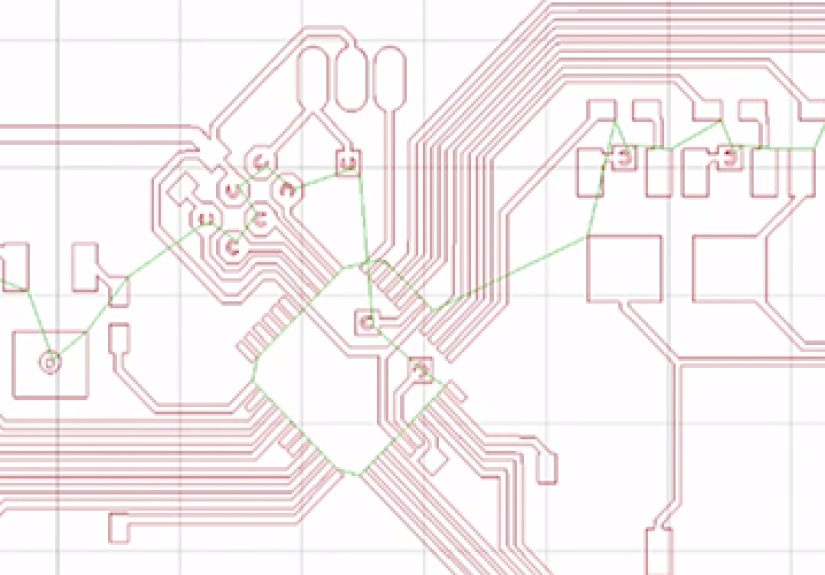
Start in PCB design software such as KiCad, Fusion Electronics, Altium, EasyEDA, or another ECAD tool. Keep the design realistic for your process. For a first laser-etched PCB, use wider traces, larger pads, and generous spacing. A 0.5 mm pitch QFN may look elegant on screen, but it can quickly become copper confetti if your process is not dialed in.
Export the copper layer as Gerber, SVG, DXF, or another format your laser software can handle. Make sure the image is mirrored when needed, especially for bottom-layer work. Add test traces, a small calibration grid, and a few sacrificial pads to evaluate the result before trusting the whole board.
Step 2: Prepare the Copper Surface
Clean copper is everything. Oils from fingers, oxidation, dust, and old adhesive can ruin adhesion. Wash the board, lightly scrub it with a fine abrasive pad if appropriate, rinse it, and wipe it with isopropyl alcohol. Handle the board by the edges. Copper loves fingerprints the way cats love knocking parts bins off a desk.
Step 3: Apply the Resist
For a simple DIY method, apply several thin coats of matte black spray paint or a suitable resist coating. Thin, even layers work better than one thick, dramatic coat. Let the coating fully dry. If using dry film photoresist, laminate it evenly and avoid bubbles. The goal is a smooth, consistent surface that the laser can remove predictably.
Step 4: Focus and Calibrate the Laser
Focus matters. A slightly unfocused laser can turn crisp traces into fuzzy noodles. Run a test pattern on scrap material using different power and speed settings. You want to remove the resist cleanly without scorching the board, lifting nearby coating, or overheating the substrate. Keep notes. The setting that worked last Tuesday may not work today if the coating thickness, board material, lens cleanliness, or room temperature changed.
Step 5: Etch the Exposed Copper
After the laser removes the resist, place the board in the etchant according to the chemical manufacturer’s instructions. Agitation, temperature, and etchant freshness affect the result. Over-etching can narrow traces and undercut edges. Under-etching leaves unwanted copper bridges. Watch the board carefully and remove it as soon as exposed copper is gone.
Step 6: Strip, Drill, Inspect, and Test
Strip the remaining resist, rinse the board, and inspect it under magnification. Check continuity with a multimeter. Look for shorts between close traces and opens in thin sections. Drill through-hole pads if needed. If the board is single-sided, you may use jumper wires instead of plated vias. For a nicer finish, apply solder mask, tin the pads, or at least protect exposed copper from oxidation.
Laser Etching PCBs vs. PCB Milling
PCB milling uses a CNC machine and small engraving bits to mechanically remove copper. It is excellent for quick prototypes and avoids chemical etchants, but it has its own challenges. Bits wear out, boards must be very flat, and tiny isolation paths can be difficult. Milling also creates dust and requires careful workholding.
Laser etching is usually faster for artwork-like patterns and does not push against the board. It can create fine resist patterns with less mechanical stress. However, it may still require chemical etching unless the laser directly removes copper. It also introduces laser safety concerns and fume extraction needs. In short, milling is a tiny router; laser etching is a tiny sun. Both deserve respect.
Laser Etching PCBs vs. Ordering From a Board House
Professional PCB fabrication is now surprisingly affordable. Board houses can produce two-layer and four-layer PCBs with solder mask, silkscreen, plated through-holes, surface finishes, routing, electrical testing, and clean registration. For production, complex designs, controlled impedance, multilayer boards, or fine-pitch components, a board house is usually the right choice.
Laser etching shines when speed, experimentation, privacy, or unusual materials matter. It is useful for same-day prototypes, educational labs, RF experiments, artistic copper patterns, quick fixtures, and proof-of-concept circuits. It is less ideal when you need plated vias, consistent solder mask, impedance control, or repeatable high-volume quality.
Materials and Safety: The Serious Part
Laser etching PCBs involves heat, light, fumes, chemicals, and sometimes reflective metal. That combination deserves more than a casual shrug. Use an enclosed laser whenever possible. Wear wavelength-appropriate laser safety eyewear if the machine is not a certified enclosed system. Never stare at the beam or reflections. Copper can reflect energy, and reflected laser light can damage eyes faster than you can say, “I probably should have read the manual.”
Fume extraction is essential. Burning paint, resin, adhesives, solder mask, fiberglass, phenolic paper, or polymer coatings can release unpleasant and potentially hazardous airborne contaminants. FR-4, the common fiberglass-epoxy PCB material, is especially problematic for cutting because it contains glass fibers and resin. Many university and lab safety programs warn against laser cutting fiberglass materials unless the equipment, filtration, and safety review are specifically approved for it.
Also avoid unknown plastics, PVC, vinyl, ABS, and mystery coated materials. If you do not know what a material is, do not laser it. Review the safety data sheet when available. Use local exhaust ventilation, proper filtration, fire monitoring, and a clean work area. Never leave a laser running unattended. A PCB prototype is not worth turning your workshop into a smoke-flavored escape room.
Chemical etchants also require responsible handling. Used etchant contains dissolved copper and should not be poured down the drain. Follow local hazardous waste rules and disposal guidance. Gloves, eye protection, labeled containers, spill control, and ventilation are basic requirements. Laser etching may reduce some chemical steps in certain workflows, but many DIY processes still rely on wet etching, so environmental responsibility remains part of the job.
Design Tips for Better Laser-Etched PCBs
Use Conservative Trace Widths
For early experiments, make traces wider than you think you need. Wide traces tolerate slight over-etching, imperfect resist removal, and small alignment errors. Once your process is stable, reduce trace width gradually. A test coupon with multiple trace widths is extremely helpful.
Keep Spacing Generous
Tiny gaps are where copper bridges like to hide. Increase clearance around pads, vias, and traces. If a board works at generous spacing, you can tighten the design later. Process development is easier when the first version is not trying to cosplay as a smartphone motherboard.
Plan for No Plated Through-Holes
Most DIY laser-etched boards do not have plated through-holes. For double-sided boards, use rivets, wire jumpers, soldered vias, or design around the limitation. Place vias where they can be accessed with a soldering iron. Avoid hiding critical vias under components unless you enjoy debugging tiny copper mysteries.
Add Test Points
Test points are cheap insurance. Add pads for power, ground, programming, and important signals. They make inspection and troubleshooting easier, especially when your board has no silkscreen or solder mask.
Use Registration Marks
For double-sided work, registration is the whole game. Add alignment holes, corner marks, or fixture points. A board that flips cleanly and returns to the same origin will save you from inventing new words your neighbors should not hear.
Common Problems and How to Fix Them
The Resist Does Not Come Off Cleanly
Increase laser power slightly, reduce speed, improve focus, or use a darker and thinner coating. Clean the lens and check that the board surface is flat. If the resist bubbles or burns around the edges, the power may be too high or the coating too thick.
Traces Are Too Thin After Etching
This usually means over-etching or undercutting. Use fresher etchant, reduce etch time, improve agitation, or make the traces wider. Also check whether the laser removed too much resist around the trace edges.
Copper Bridges Remain Between Pads
Increase spacing, improve laser calibration, extend etching slightly, or clean the board more thoroughly before coating. Bridges often appear where the resist was not removed completely.
The Board Warps or Scorches
Lower power, increase speed, improve airflow, or change substrate. Excessive heat can damage coatings and board material. If the substrate is being cut or burned, stop and review material safety before continuing.
Best Applications for Laser Etching PCBs
Laser etching PCBs is excellent for single-sided prototypes, quick design validation, educational projects, copper artwork, touch sensors, capacitive pads, antennas, simple breakout boards, and experimental circuits. It is also useful for marking finished boards with revision numbers or serial codes.
It is not the best choice for every project. Fine-pitch BGAs, dense multilayer routing, high-current power boards, impedance-controlled RF designs, and products requiring certified repeatability should go to a professional PCB fabricator. Laser etching is a tool, not a universal replacement for PCB manufacturing. A hammer is useful, too, but nobody should use it to tune a violin.
Future of Laser Etching in PCB Fabrication
Laser-based PCB processes will keep growing because electronics continue to shrink. Smaller packages, tighter routing, flexible circuits, embedded components, and higher-frequency designs all benefit from better precision. LDI is already important in modern fabrication, and laser drilling is central to microvia production. Fiber, UV, and ultrafast lasers are also improving how manufacturers process copper, polymers, ceramics, and flexible materials.
For small labs and makers, the future is also promising. Desktop lasers are becoming more accurate, software is improving, and communities are sharing better workflows. However, safety and process control will remain critical. The best results will come from treating laser etching as a manufacturing process, not just a cool trick. Clean surfaces, repeatable settings, controlled materials, good ventilation, and careful testing are what separate reliable boards from shiny disappointments.
Workshop Experiences With Laser Etching PCBs
The first lesson from real workshop-style laser PCB experiments is painfully simple: cleaning matters more than enthusiasm. A copper board can look clean and still be covered with oil, oxidation, or invisible dust. When the resist fails in random spots, the culprit is often not the laser, the software, or the alignment stars. It is usually surface preparation. A light scrub, a proper alcohol wipe, and edge-only handling can improve results dramatically.
The second lesson is that test grids are worth their weight in copper. Before running a full PCB layout, burn a small matrix of lines at different speeds and power settings. Label the results. Etch the test piece. Inspect it under magnification. A setting that looks perfect before etching may fail after the copper bath because the resist was only partly removed. Another setting may look slightly aggressive but produce cleaner final isolation. The board, not the preview screen, tells the truth.
Paint thickness is another surprisingly big variable. Many beginners apply one heavy coat because it feels efficient. Unfortunately, thick resist can melt, bubble, peel, or leave ragged edges. Several thin coats usually work better. Let each coat dry properly. Rushing this step is like baking cookies at double temperature to save time; technically something happens, but nobody is proud of the result.
Board flatness also matters. A laser has a focal sweet spot. If the copper board bows upward in the center or sits unevenly on the bed, line width changes across the design. A vacuum table, tape, magnets outside the cutting area, or a simple flat fixture can improve consistency. For double-sided boards, mechanical registration pins are extremely helpful. Eyeballing the flip may work once, but repeatability needs a fixture.
During etching, patience and observation are better than brute force. Warm etchant and gentle agitation can speed the process, but leaving the board too long narrows traces and attacks edges. Pull the board, rinse, inspect, and continue only if needed. A small plastic tray, nitrile gloves, eye protection, and good labeling make the process safer and less chaotic.
After etching, always test continuity before soldering. A multimeter can catch tiny opens and shorts before components are installed. Fixing a bridge on a bare board is easy. Finding it after soldering a microcontroller, voltage regulator, and six tiny capacitors is how people develop dramatic sighs. Add flux when soldering bare copper, and consider tinning pads soon after cleaning because exposed copper oxidizes quickly.
The final experience-based takeaway is to choose the right level of ambition. A simple LED flasher, sensor adapter, or programming header board is a great candidate for laser etching. A dense four-layer Wi-Fi module carrier is not. Start with forgiving designs, document settings, improve one variable at a time, and treat every failed board as paid tuition. The good news is that copper-clad scraps are excellent teachers. The bad news is that they grade in smoke, shorts, and sarcasm.
Conclusion
Laser etching PCBs is one of the most interesting bridges between digital design and physical electronics. It can speed up prototyping, improve precision, reduce mechanical stress, and support modern PCB workflows such as laser direct imaging and permanent board marking. For DIY makers, it offers a practical way to create simple boards quickly when paired with resist and chemical etching. For professional manufacturers, laser systems help produce fine features, accurate solder mask registration, microvias, and traceable production marks.
The key is understanding what your laser can actually do. A small diode laser may remove paint beautifully but will not behave like an industrial fiber laser. A CO2 laser may handle some coatings but struggle with copper. Professional LDI equipment is highly accurate but belongs to a different category than a desktop engraver. Safety is equally important: lasers, fumes, reflective copper, fiberglass substrates, and chemical etchants all demand care.
Used wisely, laser etching can be fast, flexible, and satisfying. Used carelessly, it becomes an expensive smoke machine with a PCB hobby attached. Start simple, test often, document everything, and respect the materials. That is how laser etched PCBs go from “interesting experiment” to “reliable tool on the bench.”



 Close
Close